
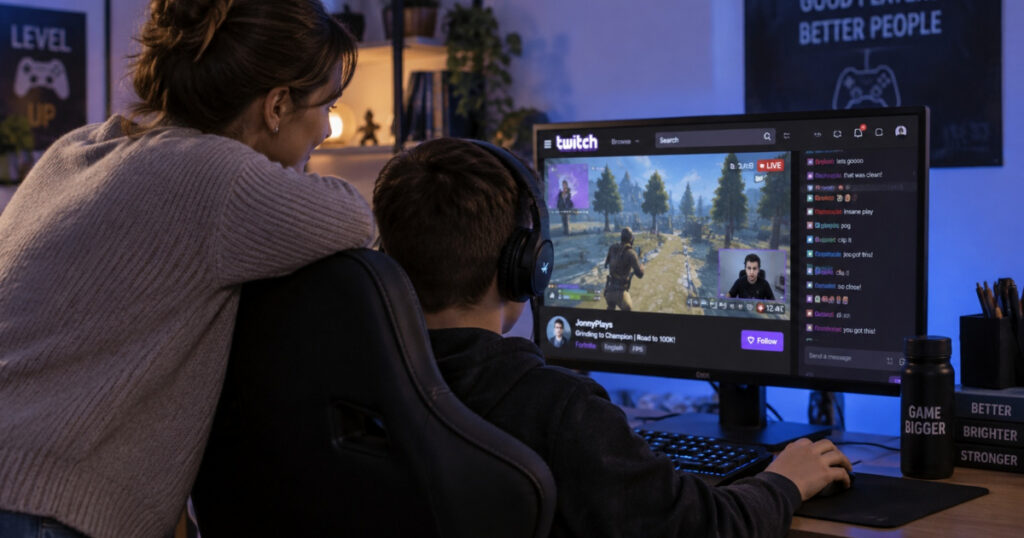
Twitch is one of the most popular places to watch people play video games, but watching isn't the only thing kids can do there. They can participate in live chats, communicate with other users, and broadcast themselves to an audience of strangers.
For parents, that raises some important questions. How old does a child need to be to use Twitch? Can strangers message them? What happens if someone records their livestream? And how much control do parents have over what their children see and do?
This guide explains how Twitch works, the risks parents should know about, and the settings that can help protect young users.
Is Twitch Safe for Kids?
Twitch can be safe for some teenagers when used with appropriate supervision, but it also exposes children to risks involving inappropriate content, unwanted contact, online grooming, and sexual exploitation. Its safety features reduce some of those risks, but they don't eliminate them.
Twitch requires account holders to be at least 13 years old. Teenagers under 18 must use the service under parental supervision.
There is an important difference between watching Twitch and livestreaming on Twitch.
A teenager watching a gaming broadcast may encounter inappropriate language or messages from strangers. A teenager broadcasting their own gameplay can attract attention from unfamiliar viewers, reveal personal information, and receive requests from people they don't know.
Twitch now offers parental controls that allow parents to manage livestreaming, private messaging, content visibility, and daily time limits.
For most families, the best starting point is understanding how their child uses Twitch. Watching a familiar streamer's channel is very different from broadcasting to an unrestricted audience or developing private relationships with strangers.
Quick Facts About Twitch Safety
- Minimum age: 13 years old.
- Parental supervision: Required for users under 18.
- Private messaging: Twitch offers direct messages called Whispers.
- Livestreaming: Eligible users can broadcast themselves to other viewers.
- Parental controls: Family Center provides restrictions for linked teen accounts.
- Main safety concerns: Grooming, sexual exploitation, harassment, inappropriate content, and exposure of personal information.
- Reporting: Parents can report suspected exploitation to Twitch and the National Center for Missing & Exploited Children (NCMEC).
For a closer look at research involving minors on the platform, see our Twitch Child Safety Statistics report.
How Does Twitch Work for Kids?
Twitch is a livestreaming platform where people broadcast video games, conversations, music, and other activities. Most users watch other people's streams, but eligible account holders can also create channels and broadcast.
Watching Twitch is free, and some streams can be viewed without creating an account. To participate in chat or use most interactive features, a child generally needs to sign in.
Here's what parents should understand about the main features.
Livestreams: Watching and Broadcasting
A livestream is a video broadcast that viewers watch as it happens.
Children can also become streamers themselves. With a webcam, microphone, and computer or gaming console, a teenager can broadcast to people they have never met.
A young streamer may accidentally reveal their name, school, location, or daily routine during an ordinary conversation. Viewers can also ask personal questions or make requests while the child is live.
Parents should know whether their child only watches streams or broadcasts their own content. Those activities involve different levels of exposure.
Live Chat: Can Strangers Talk to Your Child?
Yes. Twitch's live chat allows signed-in viewers to post messages alongside a broadcast. Other viewers, the streamer, and channel moderators can generally see those messages.
Chat is a major part of Twitch's appeal. Children can discuss games, ask questions, and participate in communities built around their favorite streamers.
However, anyone permitted to participate in a channel's chat can potentially interact with a child who is there.
Some channels restrict who can send messages, and Twitch provides moderation tools to filter inappropriate language and remove disruptive users. Those safeguards cannot guarantee that every harmful message will be stopped before a child sees it.
Whispers: Twitch's Private Messaging Feature
Whispers are Twitch's direct messages. Unlike public chat, a Whisper is visible only to the sender and recipient.
A conversation that begins in public chat can move into Whispers, where other viewers and channel moderators cannot see what's being said.
Twitch provides restrictions on unsolicited Whispers, and its parental controls allow linked parents to manage private messaging on a teenager's account.
Parents should review these settings rather than assume every unwanted message will be blocked.
Clips: Can Someone Record Your Child's Livestream?
Yes. Twitch's Clips feature allows viewers to save short portions of livestreams.
Clips can be shared and viewed after the original broadcast has ended. Twitch also supports video-on-demand recordings, commonly called VODs, which may preserve longer portions of a stream.
A child might accidentally reveal personal information or respond to an inappropriate request without understanding that someone could preserve the moment.
Bloomberg's 2024 investigation documented how Twitch Clips had been used to save sexualized content involving children. Our Twitch Child Safety Statistics article examines those findings in detail.
Even when Twitch's recording features are restricted, someone may use outside software to capture a public broadcast.
Following, Subscriptions, and Donations
Twitch offers several ways for viewers to support or interact with streamers.
| Feature | What it does | What parents should know |
|---|---|---|
| Following | Allows users to keep track of a streamer's channel | Strangers can follow a young streamer's public channel |
| Subscriptions | Paid support for a channel, sometimes with additional benefits | Children may spend money supporting streamers |
| Bits and Cheers | Allow viewers to financially support participating streamers | Paid interactions can be used to attract attention |
| Donations | Some streamers accept payments through outside services | Outside payment services can introduce additional privacy risks |
| Channel Points | Let viewers earn and redeem rewards in participating channels | Rewards may encourage repeated viewing or interaction |
Most financial support on Twitch is ordinary fan activity. Parents should nevertheless understand when money is involved, particularly if their child is receiving donations or developing personal relationships with viewers who provide financial support.
Can Twitch Users Contact Children Outside the Platform?
Yes. Twitch users can share social media handles, links, and other contact information through their profiles or conversations.
Someone who meets a child through Twitch may suggest continuing the conversation on Discord, Snapchat, Instagram, or another messaging service.
Moving to another platform isn't automatically evidence of grooming. But it can make it harder for parents to understand who their child is communicating with, especially when conversations are spread across several apps.
What Are the Biggest Safety Risks for Children on Twitch?
The biggest child safety concerns on Twitch involve unwanted contact from adults, sexual grooming, inappropriate content, harassment, and the exposure that comes with livestreaming.
Sexual Grooming and Manipulation
Online grooming occurs when someone builds a relationship with a child to manipulate or sexually exploit them.
On Twitch, an adult may initially appear to be another friendly viewer or someone who shares the child's interest in gaming. They might regularly participate in chat, compliment the child's gameplay, offer advice, or provide financial support.
Over time, the person may try to establish a more personal relationship.
Grooming doesn't always begin with sexual messages. It can involve weeks or months of ordinary conversations before someone starts testing boundaries.
The concern isn't simply that an adult talks to a teenager online. It's when someone uses that relationship to cross boundaries, create secrecy, or pressure the child into sexual activity.
Our Online Sexual Exploitation Lawyers resource explains how grooming, sextortion, and other forms of online abuse can develop across gaming, messaging, and social media platforms.
Sexual Requests During Livestreams
Livestreaming creates opportunities for viewers to make inappropriate requests while a child is broadcasting.
A viewer might begin with harmless questions before asking a child to change clothing, perform a particular action, or show something on camera.
Some people may offer donations, subscriptions, or other rewards in exchange for complying.
Bloomberg's investigations documented incidents in which young Twitch users were encouraged to engage in sexualized behavior during broadcasts. In some cases, portions of those streams were preserved through Twitch Clips.
Children may interpret a request as a joke, a challenge, or a way to gain followers without recognizing that someone is manipulating them.
Parents should make clear that children never have to comply with a viewer's request, regardless of how much money, attention, or support that person offers.
Inappropriate Sexual Content and Adult Conversations
Not every Twitch channel is appropriate for children.
Some broadcasts include sexually suggestive conversations, adult humor, profanity, or other mature themes. Twitch uses Content Classification Labels to identify certain types of material.
Live chat presents another concern. Even when a streamer follows Twitch's rules, viewers may post sexual comments or other messages before moderators remove them.
Parents should review the channels their children watch rather than relying exclusively on a streamer's category or content label.
Harassment, Bullying, and Threats
Children can experience repeated insults, sexual comments, threats, unwanted messages, or coordinated attempts to disrupt their livestreams.
In more serious situations, someone may threaten to reveal personal information, impersonate a child, or use screenshots and recordings to embarrass or intimidate them.
Harassment can become particularly frightening when the person involved knows the child's real name, school, or location.
Exposure of Personal Information
A child doesn't have to deliberately share an address or telephone number to reveal identifying information.
Their Twitch profile, linked social media accounts, background conversations, or webcam footage may disclose details about where they live and when they're likely to be online.
Research presented at the 2023 American Academy of Pediatrics National Conference examined 100 apparent minor Twitch streamers. Researchers found that 64% linked other social media accounts, 50% disclosed locations, and 47% shared names.
These findings don't mean those children were exploited. They show how much personal information may be available to unfamiliar viewers.
Sextortion and Threats Involving Images
Sextortion occurs when someone threatens to share intimate images or videos unless a person complies with their demands.
The demands may involve money, additional images, sexual acts, or continued communication.
A child may initially share an image because they trust someone or feel pressured. The other person may then threaten to distribute it to friends, family members, or social media contacts.
Sextortion can also involve manipulated or fabricated images.
If someone threatens a child this way, parents should avoid blaming the child, preserve available evidence, and report the threats.
How Can Grooming Move From Twitch to Discord, Snapchat, or Other Platforms?
A child may first encounter someone through Twitch and then continue communicating with that person through a different app.
For example, a viewer might regularly participate in a young streamer's chat before asking to connect on Discord. The conversation may later move to private messages, voice calls, or another service.
In other cases, a child may meet someone through an online game before that person finds their Twitch channel.
These interactions can involve several platforms, each with different messaging features, privacy settings, and moderation systems.
Discord and Private Gaming Communities
Discord allows users to communicate through servers, direct messages, and voice channels. It is widely used by gaming communities, making it a natural place for Twitch viewers and streamers to continue conversations.
Most of these interactions are harmless. However, private messaging and closed communities can also be used to conceal grooming or other inappropriate conduct.
Our Discord Sexual Abuse Lawsuits resource examines allegations involving child grooming, exploitation, and communications that move between online platforms.
Snapchat and Disappearing Messages
Snapchat is another service where conversations that begin elsewhere may continue.
Its disappearing-message features can make children believe that photographs or conversations won't be saved. In reality, recipients may be able to capture or preserve content through screenshots, recordings, or other methods.
Parents concerned about sexual requests, threats involving images, or exploitation through Snapchat can read our Snapchat Sexual Abuse Lawsuit resource.
Roblox and Other Gaming Platforms
Twitch is a livestreaming service, while Roblox is primarily a gaming and user-created experience platform. However, children may use both.
A child might watch Roblox-related streams on Twitch, play Roblox with someone they met online, and communicate through Discord or another messaging service.
Lawsuits involving Roblox have alleged that predators used gaming environments to identify and groom children before moving communications elsewhere.
Our Roblox Sexual Abuse Lawsuit page covers the litigation, while our Gaming Platform Child Exploitation Lawsuits resource examines broader concerns involving online games.
Instagram and Other Social Media Platforms
Instagram and other social media services may also be involved when someone uses a child's public profile to gather personal information, establish contact, or move conversations into direct messages.
A child may use different usernames across Twitch, Instagram, Snapchat, and gaming accounts. Linking those profiles can make it easier for unfamiliar people to identify them.
Our Social Media Child Safety Lawsuits page explains the broader concerns involving grooming, private messaging, and child exploitation through social platforms.
Parents should pay attention to the entire online relationship, not just the app where it began. If someone is communicating with their child across several services, understanding that sequence may reveal warning signs that aren't obvious when looking at one account.
How Do You Set Up Twitch Parental Controls and Privacy Settings?
Twitch's Family Center gives parents tools to manage how linked teenage accounts use the platform.
Parents can manage livestreaming permissions, private messaging, content visibility, and daily time limits. They can also review activity information.
These controls are designed for teenagers ages 13–17. They do not make Twitch appropriate for children younger than 13.
Step 1: Connect Your Account Through Family Center
To use Twitch's parental controls, you need your own Twitch account and an eligible teen account to supervise.
- Create or sign in to your Twitch account at twitch.tv.
- Have your teenager sign in to their account.
- Open Twitch's Family Center or parental-control settings.
- Follow the account-linking instructions for the parent and teenager.
- Complete any required confirmation steps.
- Open Family Center from your account to review the available controls.
Twitch's account-linking workflow may change, so follow the prompts shown on the platform rather than relying on an older screenshot or menu description.
The official Twitch Account Settings documentation provides information about Family Center and links to the parental-control setup guide.
Step 2: Disable Livestreaming If Your Child Only Watches Twitch
If your child uses Twitch to watch gaming streams, they don't need to broadcast their own content.
Family Center allows parents to manage whether a linked teen account can livestream.
Open the linked account's parental controls and review the streaming permission. If you don't want your teenager broadcasting, disable that option.
Before allowing a teenager to livestream, discuss webcam use, personal information, chat moderation, and the possibility that viewers may record broadcasts.
Step 3: Restrict Private Messaging
Twitch's Whispers feature allows users to communicate privately.
Through Family Center, parents can manage private messaging for linked teenage accounts.
Review the messaging control and restrict Whispers if your child doesn't need to communicate privately through Twitch.
Remember that this setting doesn't control Discord, Snapchat, Instagram, or other apps your child may use.
Step 4: Review Mature Content Restrictions
Twitch uses Content Classification Labels to identify broadcasts containing certain mature themes.
The platform also applies age-related restrictions to specified mature-content categories for signed-in users under 18.
Parents should review the content visibility settings available through Family Center and their teenager's account.
Content labels are useful, but they cannot prevent every inappropriate comment, unexpected discussion, or incorrectly classified stream from reaching a child.
Step 5: Set Daily Time Limits
Family Center allows parents to manage daily time limits for linked teenage accounts.
Choose a limit that fits your child's age, school schedule, and other responsibilities.
Consider how much time they spend watching Twitch alongside time spent gaming, messaging, or using other social platforms.
Step 6: Review Activity Summaries
Twitch provides activity information to parents supervising linked teen accounts.
Depending on the available reporting features, this may include information about channels watched, messaging activity, time spent on the platform, and other account activity.
An activity summary isn't the same as unrestricted access to private conversations.
Use it as a starting point for discussing unfamiliar channels, changes in viewing habits, or interactions with people your child doesn't know.
Step 7: Check Additional Account Safety Settings
Family Center isn't the only place parents should look.
Twitch also provides privacy and moderation tools that can help limit unwanted interactions.
| Setting or tool | What it does |
|---|---|
| Whisper restrictions | Limits certain unsolicited private messages |
| Blocking | Restricts interactions with specific accounts |
| Chat filters | Helps hide selected categories of unwanted language |
| Content preferences | Controls how certain labeled content is displayed |
| Reporting | Allows users to flag suspected rule violations |
| Two-factor authentication | Adds protection against unauthorized account access |
Parents should review the account's current Security and Privacy settings and discuss how to block or report someone who behaves inappropriately.
What If Your Child Is Under 13?
Twitch does not permit children younger than 13 to maintain accounts, even with parental permission.
If your child is under 13 and has an account, arrange for it to be closed rather than attempting to use parental controls intended for teenagers.
Do Twitch Parental Controls Make the Platform Completely Safe?
No.
A child may still encounter inappropriate messages in public chat, watch content that hasn't been correctly classified, or communicate with Twitch users on another platform.
Parents should know which channels their children watch, whether they broadcast, and who they communicate with.
A child who receives a sexual message, threatening request, or pressure to keep a conversation secret should know they can tell a trusted adult without being blamed.
How Can Parents Recognize the Warning Signs of Grooming on Twitch?
A child being groomed online may not realize that anything is wrong. The person contacting them might seem friendly, supportive, or genuinely interested in the same games and streamers.
Parents should pay attention to changes in their child's online relationships and behavior, particularly when those changes involve someone they met through Twitch.
What Are the Behavioral Warning Signs of Online Grooming?
There isn't one behavior that proves a child is being groomed. However, certain changes deserve attention, especially when several appear together.
Watch for:
- Unusual secrecy about online conversations. Your child suddenly hides their screen, deletes messages, or becomes anxious when asked who they're talking to.
- An unusually intense online relationship. They spend substantial time communicating with someone they met through Twitch and describe that person as the only one who understands them.
- Unexpected gifts or money. They receive subscriptions, gaming equipment, gift cards, or other items from someone you don't know.
- Changes in mood after going online. They seem frightened, withdrawn, upset, or anxious after using Twitch or another messaging app.
- Pressure to be available at certain times. They feel obligated to respond immediately to messages or communicate late at night.
- Fear of losing an online friendship. They become distressed when someone threatens to end the relationship.
- Requests to keep secrets. Someone tells them their parents wouldn't understand or that discussing the relationship would get them in trouble.
These behaviors can have explanations unrelated to abuse. A teenager may value privacy or develop close online friendships without being in danger.
The concern increases when secrecy, pressure, sexual requests, or fear become part of the relationship.
What Do Grooming Messages Look Like?
Grooming messages aren't always explicitly sexual. They may initially sound like ordinary conversations between people who enjoy the same games.
Examples include:
- "You're really mature for your age."
- "I feel like I can tell you things I can't tell anyone else."
- "Let's talk on Discord instead. It's easier there."
- "Your parents wouldn't understand our friendship."
- "Don't tell anyone about the gifts. It's just between us."
- "If you trust me, you'll send me a picture."
- "I've done so much for you. You owe me."
These are illustrative examples, not quotations from documented Twitch incidents.
A single compliment or invitation to another platform doesn't establish grooming. The warning sign is a pattern of someone creating secrecy, obligation, or emotional dependence and then using it to push a child's boundaries.
What If Your Child Is Talking to an Adult They Met on Twitch?
An adult communicating with a teenager online isn't automatically engaging in misconduct. Gaming communities often include people of different ages.
Parents should focus on the nature of the relationship.
Does the adult respect boundaries? Are conversations appropriate? Do they ask the child to keep secrets? Have they requested sexual content or encouraged private meetings?
Be particularly concerned if an adult requests intimate photographs, threatens to expose messages or images, or attempts to arrange an in-person meeting without parental knowledge.
How Should You Talk to Your Child If You Suspect Grooming?
Start with a calm conversation somewhere private where your child feels comfortable.
Rather than immediately demanding access to every message, explain what concerns you.
You might say:
"I've noticed you've seemed upset after talking to someone online. I'm not angry, but I want to understand what's happening. Has anyone made you uncomfortable or asked you to keep something secret?"
Give your child time to answer.
If they disclose something concerning, avoid reacting with anger or asking questions that suggest they caused the problem.
A child may have responded to messages, accepted gifts, or shared information before realizing the relationship was unsafe. Those actions don't make them responsible for someone else's exploitation.
What Should Parents Avoid Doing?
Certain reactions can make children less willing to disclose abuse or ask for help.
Avoid blaming them, threatening punishment, repeatedly demanding sexual details, or confronting the suspected groomer yourself.
Don't delete potentially important messages before preserving appropriate evidence. If suspected child sexual abuse material is involved, don't download, forward, or circulate the images.
If your child says nothing is wrong, keep communication open rather than turning every conversation into an interrogation.
The goal is to make it easier for a child to ask for help before a situation becomes more dangerous.
What Should Parents Do If Their Child Has Been Groomed or Sexually Exploited on Twitch?
If you discover that someone has been grooming, threatening, or sexually exploiting your child through Twitch, your first priority is to protect them from further contact.
You don't need to know the person's real identity or determine whether a crime occurred before asking for help.
1. Make Sure Your Child Is Safe
If your child is in immediate danger, call 911 or your local emergency number.
Otherwise, help them stop communicating with the person involved. If someone is threatening them, don't respond to demands, send money, or provide additional photographs or videos.
Ask whether the person knows your child's address, school, telephone number, or other identifying information.
If your child has been communicating with the person on Discord, Snapchat, Instagram, or another platform, those accounts may also need attention.
Tell your child that they can explain what happened without being punished or blamed.
2. Preserve Messages and Other Evidence
Online evidence can disappear quickly. A person may delete messages, remove an account, or change their username after being confronted or reported.
Useful evidence may include:
- Twitch usernames, channel URLs, and profile links.
- Dates and approximate times of concerning interactions.
- Whispers, chat messages, and other written communications.
- Links to relevant Clips, VODs, or livestreams.
- Usernames and messages from other platforms.
- Records of gifts, subscriptions, donations, or payment requests.
- Threats, requests for secrecy, or attempts to arrange a meeting.
For ordinary text messages, screenshots may help preserve what was said. Keep enough surrounding conversation to show the context.
Do not download, screenshot, forward, or redistribute suspected child sexual abuse material. If explicit images or videos involving a child are online, preserve the URL, username, and other identifying information without creating additional copies.
Parents can provide that information to NCMEC or law enforcement.
3. Report the Account or Content to Twitch
Twitch allows users to report suspected violations involving livestreams, chat messages, Whispers, Clips, and other content.
For a concerning Whisper:
- Open the conversation on Twitch.
- Select the conversation's reporting or settings options.
- Choose Report, where available.
- Select the most appropriate reason.
- Describe the behavior and submit the report.
For a message in public chat, select the sender's username and use the reporting option.
If the incident involves a Clip or recorded broadcast, report the content from its own page.
Include relevant usernames, dates, timestamps, and a clear explanation of what occurred.
Twitch's official How to File a User Report guide explains the process for desktop and mobile users.
After reporting the account, you can block the person to restrict further contact through Twitch.
4. Report Suspected Child Sexual Exploitation to NCMEC
The National Center for Missing & Exploited Children operates the CyberTipline, which accepts reports of suspected online child sexual exploitation.
Report suspected exploitation through the NCMEC CyberTipline.
Reports may involve online enticement, grooming for sexual purposes, child sexual abuse material, sextortion, or child sex trafficking.
Provide the information you have, even if you don't know the person's real name.
You can also contact local law enforcement or submit information to the FBI when you believe your child has been sexually exploited, threatened, or targeted for abuse.
You do not need to wait for Twitch to complete its investigation.
5. Take Action If Intimate Images Have Been Shared or Threatened
If someone has threatened to distribute intimate images of your child, don't pay them or send additional content.
NCMEC offers a free service called Take It Down, designed to help limit the online circulation of eligible nude, partially nude, or sexually explicit images and videos taken when someone was under 18.
The service creates a digital fingerprint, called a hash, of eligible images or videos so participating platforms can identify matching content.
The image itself does not need to be uploaded to the service.
Learn more at Take It Down.
If you don't already have a copy of the image, don't download it just to use the service.
6. Consider Medical and Mental Health Support
Online sexual exploitation can affect children even when no physical contact occurred.
A child may experience anxiety, embarrassment, sleep problems, fear, or difficulty trusting other people.
Consider speaking with a pediatrician or licensed mental health professional experienced in helping children who have experienced trauma or sexual exploitation.
If physical abuse may have occurred, seek appropriate medical care promptly.
Parents should avoid repeatedly questioning a child about intimate details. When an investigation is necessary, trained professionals can conduct interviews in a way that reduces unnecessary distress.
7. Understand Whether Your Family May Have Legal Options
Some families may have legal claims arising from online grooming or sexual exploitation, depending on what happened and who was involved.
Potential legal issues can include the conduct of the person responsible, whether a company had notice of dangerous behavior, what action it took, and whether applicable law permits a claim against the platform.
These cases can involve complicated questions about evidence, federal law, state law, and platform liability. A harmful interaction on Twitch does not automatically establish that Twitch is legally responsible.
Dolman Law Group is investigating potential claims involving children who experienced sexual grooming or exploitation through Twitch.
Families who want to understand their options can visit our Twitch Sexual Abuse Lawyers page.
Should Parents Delete Their Child's Twitch Account?
Not necessarily right away.
Closing an account may help prevent further contact, but it can also make important conversations or account information harder to access.
If you suspect grooming or exploitation, preserve relevant information first and consider asking law enforcement or an attorney whether additional records may be needed.
Your child's safety comes first. Evidence preservation should never require allowing dangerous communication to continue.
Frequently Asked Questions About Twitch Safety for Kids
Is Twitch appropriate for a 13-year-old?
Twitch allows teenagers ages 13–17 to use the platform under parental supervision, but that doesn't mean every channel or feature is appropriate for a 13-year-old. Parents should review the channels their child watches, restrict private messaging, and consider disabling livestreaming.
Can children under 13 use Twitch with parental permission?
No. Twitch's minimum age is 13, even with parental permission. Children under 13 are not eligible to maintain Twitch accounts.
Can strangers message my child on Twitch?
Twitch allows private messages called Whispers, but the platform restricts certain unsolicited messages. Parents can manage Whispers through Family Center on a linked teen account. Children may still encounter strangers in public livestream chats.
Can I stop my teenager from livestreaming on Twitch?
Yes. Twitch's Family Center allows parents to disable livestreaming for linked teenage accounts. This prevents the teenager from broadcasting while the restriction remains active.
Can parents see their child's Twitch messages?
Twitch's parental controls provide activity information, including information about Whisper activity. They do not give parents unrestricted access to read every private conversation.
Does Twitch have a kids' mode?
Twitch does not offer a separate, fully child-restricted version of its platform. It provides parental controls for teenagers, content classification labels, and account-level safety settings.
Can someone record my child's Twitch livestream?
Yes. Twitch's Clips feature allows viewers to save short portions of livestreams. Viewers may also use external screen-recording software. Anything broadcast publicly may be recorded and shared.
Can someone find my child's location through Twitch?
A person may be able to identify a child's location through information shared during livestreams, linked social media accounts, profile details, or visible surroundings.
Are Twitch parental controls automatically enabled?
The optional Family Center supervision controls require account linking and configuration. Twitch also applies certain default safety restrictions to teenage accounts, including restrictions involving specified mature-content categories.
Can a child be sexually exploited on Twitch without meeting someone in person?
Yes. Online sexual exploitation can involve sexual requests, coercion, threats, intimate images, or manipulation conducted entirely through digital communications.
Can parents take legal action if their child was groomed on Twitch?
Potential legal options depend on the circumstances and applicable law. Not every incident creates a claim against Twitch. Dolman Law Group is investigating potential claims involving sexual grooming and exploitation of children through the platform. Learn more on our Twitch Sexual Abuse Lawyers page.
Sources and Additional Safety Resources
This guide draws on Twitch's official documentation, research into online child exploitation, and resources from organizations that help families respond to suspected abuse.
Twitch's features and parental controls can change. Parents should consult the company's current documentation when configuring an account or reporting a safety concern.
Official Twitch Resources
- Twitch Account Settings: Explains account privacy and security settings, including Family Center.
- Twitch Terms of Service: Explains Twitch's account eligibility and supervision requirements.
- Twitch Community Guidelines: Describes prohibited conduct, including child sexual exploitation, grooming, and sexual harassment.
- How to File a User Report: Explains how to report users and content.
Child Safety and Reporting Resources
- NCMEC CyberTipline: Report suspected online child sexual exploitation.
- NCMEC Take It Down: Help limit the online circulation of eligible intimate images taken when someone was under 18.
- National Center for Missing & Exploited Children: Child safety information and family resources.
- RAINN: Support and resources for people affected by sexual violence.
- FBI Tips: Submit information about suspected federal crimes.
Research on Twitch Child Safety
Our Twitch Child Safety Statistics article provides a more detailed review of research and investigations involving young Twitch users.
Additional sources include:
- Bloomberg's 2022 Twitch Investigation: Investigates suspicious accounts following apparent minor Twitch streamers.
- Bloomberg's 2024 Twitch Clips Investigation: Examines concerns involving sexualized Clips of children.
- American Academy of Pediatrics Research Summary: Summarizes research on personal information disclosed by apparent minor Twitch streamers.
This guide uses publicly available platform documentation and independent research. Research findings and investigations should not be interpreted as complete counts of children who have experienced sexual exploitation.
Information about potential legal claims is general and does not establish that Twitch is legally responsible for any particular incident.